Getting Started in Tesla Roadster Chase
Your first hour on Roblox — from showroom steal to a stable chase build.
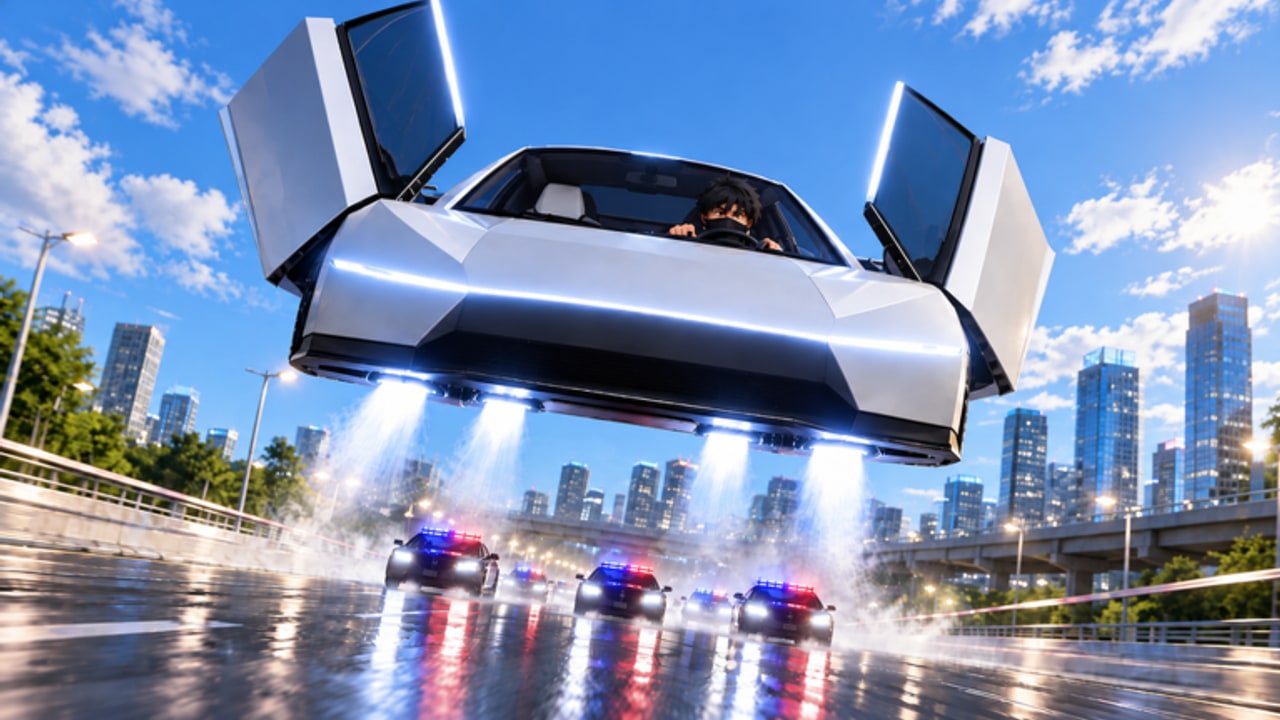
This Getting Started guide is the fastest safe onboarding for Tesla Roadster Chase, the Roblox vehicle sim from North & Co. Games. You will steal the showroom Roadster, redeem live codes, survive early police pressure, and spend cash without wasting it on cosmetics. Read once, then keep the Guides Hub open for deeper topics.
What kind of game is this?
Tesla Roadster Chase drops you into a large city with highways, back roads, and shortcuts. The fantasy is simple: take the brand-new Roadster off the stage, outrun police, and earn cash for Speed, Jets, style, and more. It is a fan-made experience and is not affiliated with Tesla. Servers hold up to 16 players, so expect shared traffic and competing chases.
If you want numbers: the experience launched on 21 October 2026, sits in Simulation / Vehicle Sim, and regularly draws thousands of concurrent players with tens of millions of visits. That popularity means frequent updates — skim the Updates Hub after each login.
Minute-by-minute first session
1. Launch and load fully
Open the official Roblox page, press Play, and wait until the HUD and city finish streaming. Joining mid-stream on a weak connection can hide the Settings button you need for codes.
2. Steal the Roadster
Follow the showroom prompt to take the car. Do not open the garage cosmetics menu yet. Your first goal is a clean exit toward the highway or a wide arterial road.
3. Redeem codes before long grinds
Open Settings → scroll to CODE → REDEEM. Enter the live strings from the Codes Hub (IWASHERE, ROADSTERADMIN1 as of mid-November 2026). Bank the cash and note crate rewards for later.
4. Survive — do not flex
The first police wave teaches map pressure. Prioritize distance and line-of-sight breaks over stunts. If you crash, respawn, and treat it as camera practice from the Controls page.
5. Cash into Speed, then Jets
Visit the garage and follow the Tier List: Speed first, Jets second, Handling third. Ignore paint until you can finish a chase on purpose.
6. End with a quest check
UPDATE 1 added racing and quests. Open the quest board, pick an easy objective, and finish your session with structured cash instead of endless random heat.
Core loop you should memorize
Steal / spawn Roadster → optional codes → chase or quest for cash → upgrade Speed/Jets/Handling → learn one new shortcut → repeat. Everything else (trails, scripts, Admin Abuse flex) is optional seasoning.
Beginner mistakes to skip
- Spending code cash on cosmetics first
- Holding Jets into bridge undersides
- Fighting police in dense downtown grids without a exit plan
- Ignoring Handling until the car feels drunk at high Speed
- Closing the game before redeeming time-limited codes
Gear and settings checklist
Stable FPS beats max graphics if curb edges stutter. Keep sirens audible. On mobile, use landscape and confirm the Jets button is reachable. Full bind notes live on Controls.
Where to go next
- How to Escape Police when heat ends every run
- Upgrades Guide for spend breakpoints
- Map Shortcuts for cleaner routes
- Scripts Hub only after you understand manual play risks
Mindset for Admin Abuse weekends
When developers host Admin Abuse UPDATE streams, servers get chaotic. Play for fun, avoid risky scripts, and come back to this beginner path afterward. Limited trails are cool; a stable garage is cooler.
You now have enough to enjoy Tesla Roadster Chase without feeling lost. Watch the embedded gameplay video mid-page for pacing reference, then jump into a server and complete one intentional upgrade cycle.
Frequently Asked Questions
Quick answers for Tesla Roadster Chase players.
How do I start Tesla Roadster Chase as a beginner?
Join on Roblox, steal the showroom Roadster, redeem codes in Settings, survive a short chase, and spend cash on Speed then Jets before cosmetics.
Is Tesla Roadster Chase free to play?
Yes. It is a free Roblox experience. Optional Game Passes exist, but codes, quests, and smart upgrades are enough to progress.
What should I buy first in the garage?
Buy Speed first, Jets second, and Handling third. See the Tier List Hub for the full ranking.
Where do I redeem codes?
Open the in-game Settings panel, scroll to the CODE box at the bottom, paste a working code, and press REDEEM.