Tesla Roadster Chase Official & Wiki Links
Jump to the Roblox experience, group, and essential wiki pages.
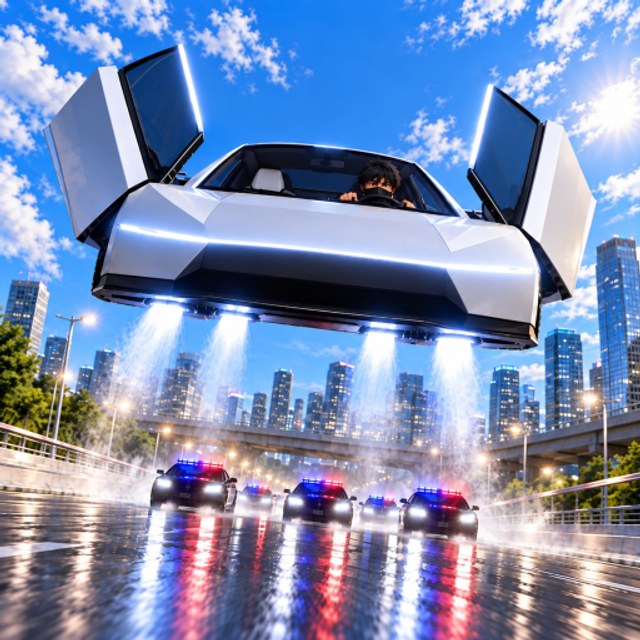
Use this Links Hub as a clean directory for Tesla Roadster Chase. Every destination below is either an official Roblox URL or an internal wiki page with trailing-slash paths for consistent SEO. Bookmark it on mobile so you can return to Play without searching mid-chase.
Official Roblox destinations
- Play Tesla Roadster Chase — launch the experience (place ID 122379697375766)
- North & Co. Games group — developer community wall and announcements
Always verify you are on roblox.com before entering credentials. Phishing clones appear whenever a Roblox game trends past tens of millions of visits.
Essential wiki hubs
- Codes — working redeem strings and Settings steps
- How to Redeem Codes — dedicated CODE box walkthrough
- Scripts — auto chase and pilot tools with safety notes
- Tier List — Speed / Jets / Handling priority
- Guides — all walkthroughs in one place
- Controls — PC and mobile inputs
- Updates — UPDATE 1 and patch checklist
- Admin Abuse — event prep for developer chaos nights
- Tools — checklists and practical helpers
Featured guides
- Getting Started — first-hour checklist
- Escape Police — heat management
- Upgrades — garage spend plan
- Map Shortcuts — route recipes
- Racing and Quests — UPDATE 1 playlists and Boss Quest mindset
- Crates and Rewards — Street vs Pro Crates
- Tips and Tricks — high-leverage habits
Why a links page exists
Players search for “Tesla Roadster Chase Trello”, Discord, and official socials. When the developer publishes a public Trello board or Discord invite on the Roblox page Social Links, it belongs here first. Until those appear, the game page and North & Co. Games group remain the source of truth for announcements, codes, and event timing.
Trust checklist
- Prefer roblox.com links over shortened mystery URLs.
- Treat “free Robux” pages tied to this game as scams.
- Cross-check codes on our Codes Hub instead of random comment sections.
- Never paste loadstrings from strangers during Admin Abuse spikes.
- Remember this site is an unofficial fan wiki — not endorsed by Tesla, Roblox, or North & Co. Games.
Quick facts
| Item | Value |
|---|---|
| Genre | Vehicle Sim |
| Release | 21 October 2026 |
| Server size | 16 |
| Visits | 26M+ (mid-November 2026) |
| Universe ID | 10772217708 |
| Place ID | 122379697375766 |
Suggested first clicks for new players
- Play link above → steal the Roadster.
- How to Redeem Codes → claim free cash and crates.
- Getting Started → first-hour loop.
- Updates → know whether UPDATE 1 or Admin Abuse is live.
For patch context open Updates. For progression open Guides. For free rewards open Codes. Keep this Links Hub handy whenever a friend asks “where is the real game?” during a trending weekend.
Frequently Asked Questions
Quick answers for Tesla Roadster Chase players.
Where do I play Tesla Roadster Chase?
Open the official Roblox experience page for Tesla Roadster Chase (place ID 122379697375766) and press Play.
Is this wiki official?
No. It is a fan-made resource. For official announcements use the Roblox game page and North & Co. Games group.
Where are codes and guides linked?
Use the Codes Hub for redeem strings and the Guides Hub for walkthroughs. Both are linked in the list above.
How do I avoid phishing links?
Only log in through roblox.com, ignore free Robux claims, and prefer links listed on this page or the official game Social Links.